Family wealth structures and succession planning — visualised clearly
StructureGram helps financial planners explain complex family structures to clients with confidence.
Common challenges for financial planners
Family structures are complex and hard to explain
Multiple generations, trusts, companies, SMSFs. Clients struggle to see the 'Big Picture'. Diagrams make the difference.
Long-term planning requires living documents
Family structures evolve over time. Static diagrams go out of date. Need diagrams that grow with the family.
Succession planning requires scenario views
Showing current vs. future states is manual work. Estate planning needs multiple what-if scenarios. Generic tools don't support this workflow.
Professional presentation builds trust
Visual quality reflects planner quality. Inconsistent diagrams undermine confidence. Need firm-wide standards — a common visual language.
Built for wealth advisory workflows
- Step 1
Map the family structure
Family relationships and entities. Ownership, control, and beneficial interests. Built-in validation ensures compliance as you work.
- Step 2
Show current and future scenarios
Use filter groups for succession planning. Model estate planning outcomes. Validate scenarios before recommending changes.
- Step 3
Share with clients
PNG high-resolution images for inclusion in reports. Direct print or PDF export for presentation-ready diagrams with firm logo, headers and footers.
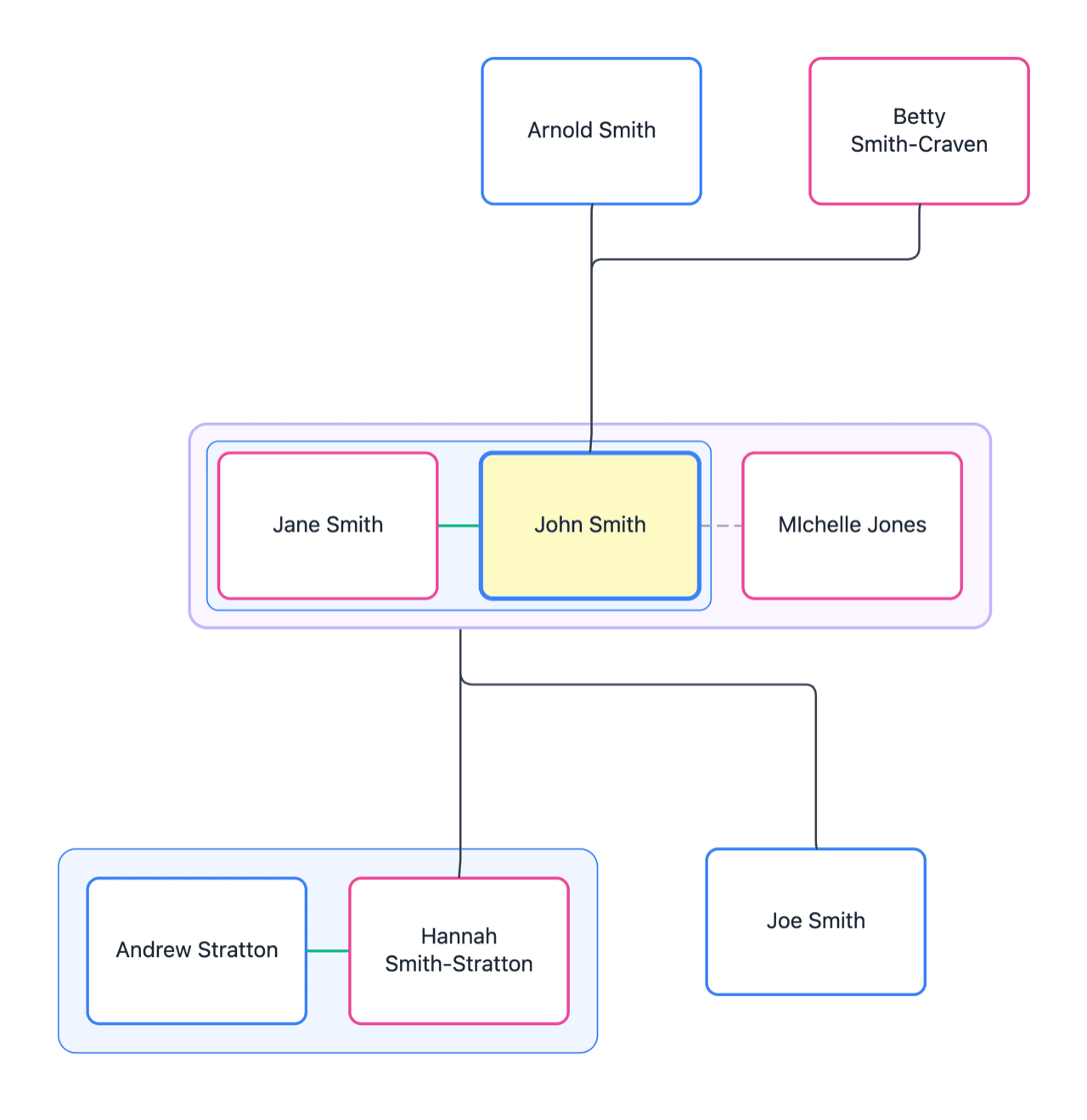
Structure-aware modelling for planners
StructureGram includes validation rules specific to financial planning. The system won't let you create family structures that don't make sense — ensuring compliant succession plans with client-ready visuals.
- Spouse relationship status — married, de facto, separated, widowed
- Parent-child relationships maintain hierarchy — biological, adopted, legal guardian, foster
- Family, age and date validations prevent impossible relationships
- SMSF trustee rules enforced (corporate or individuals)
- SMSF member limits enforced (only individuals, max 6 members)
- SMSF active-passive status
- Executor, trustee, attorney and guardianship roles tracked
- Only valid entity types can be trustees
- Beneficiary designations follow trust type constraints
- Circular ownership relationships prevented
- Circular control relationships prevented
- Ownership interests cannot exceed 100%
- Active, passive, dormant and dissolved status tracking
- Third-party 'off-diagram' ownership interests accounted for
- Discretionary trust roles like appointor and primary beneficiary
Compliant succession plans with client-ready visuals.
Structures financial planners work with every day
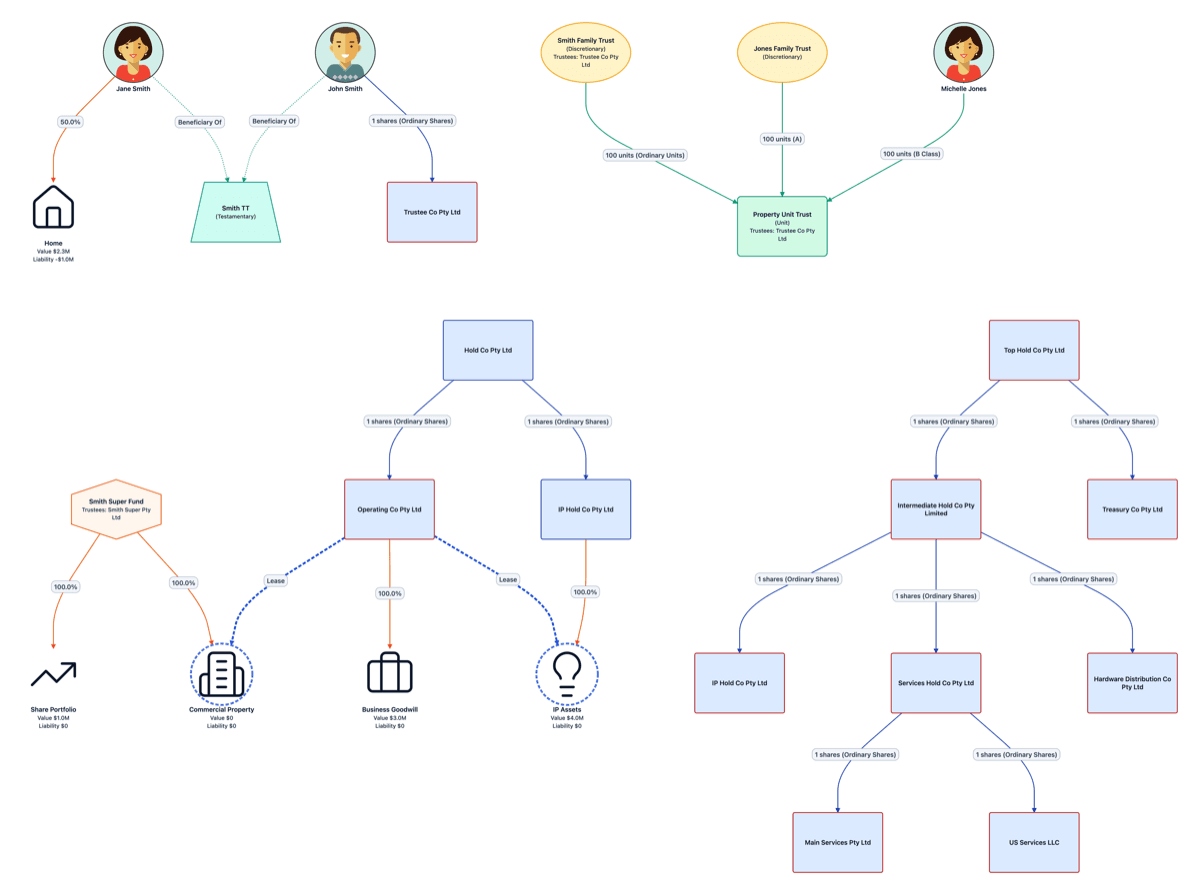
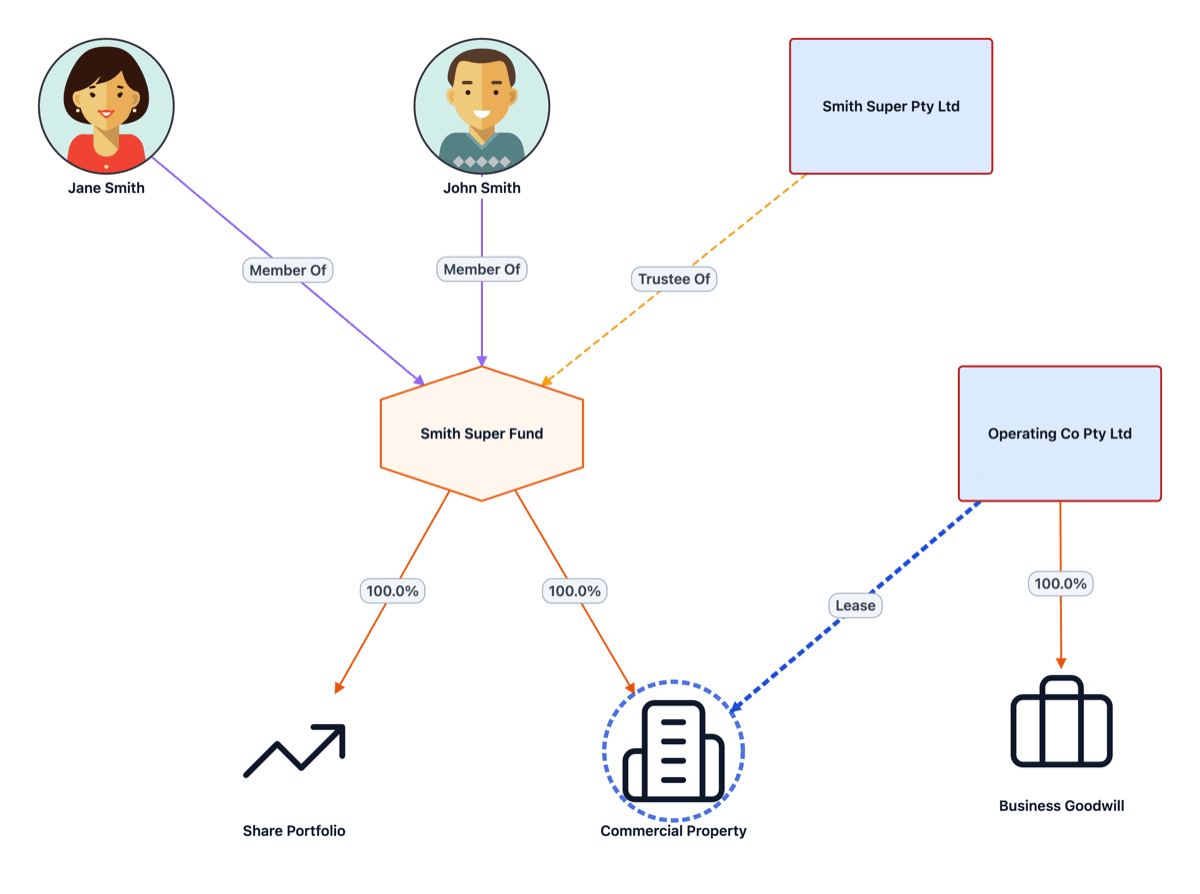
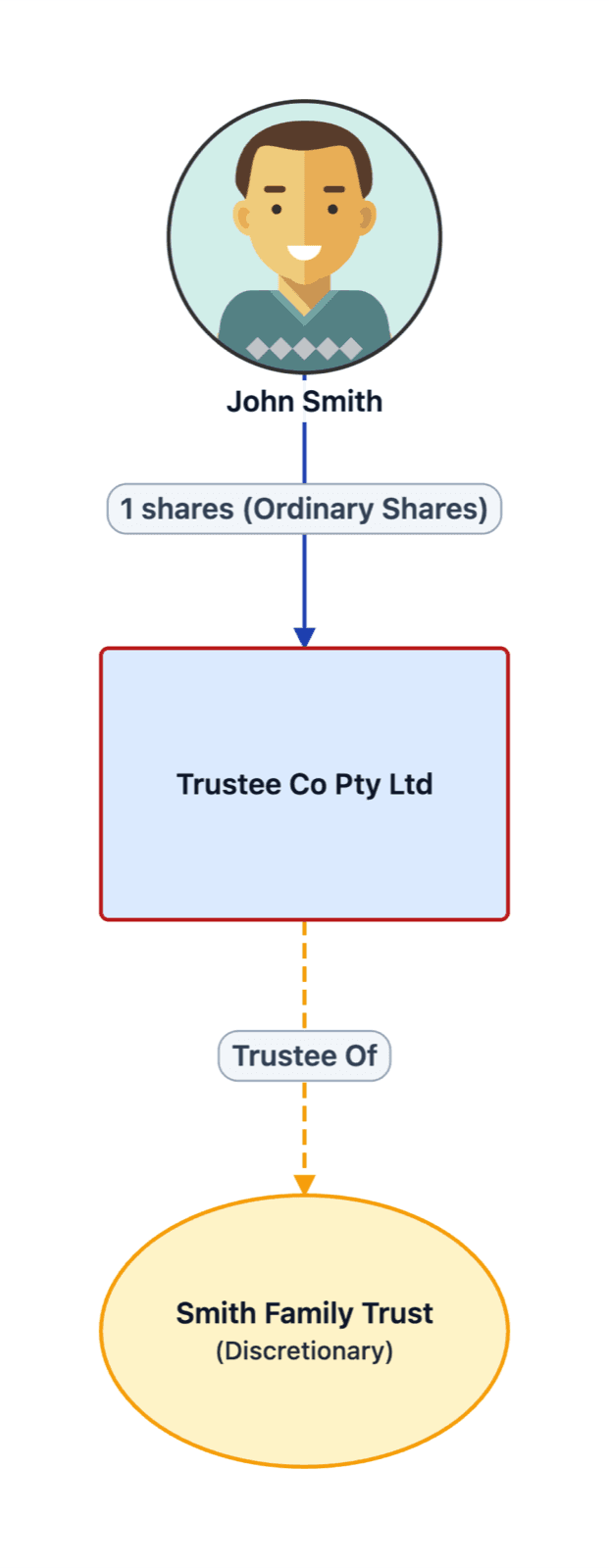
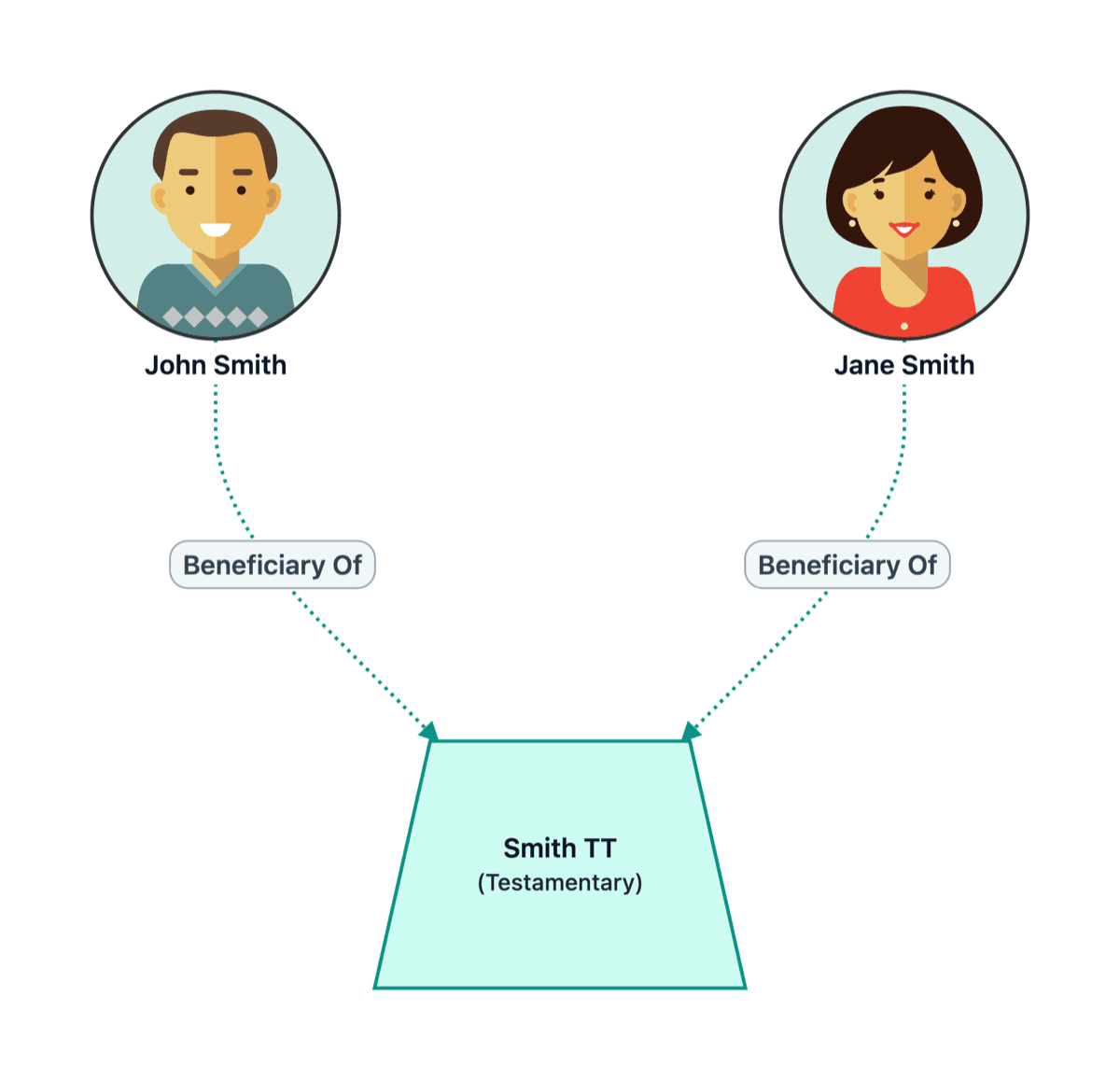
Family trees and ownership in one place
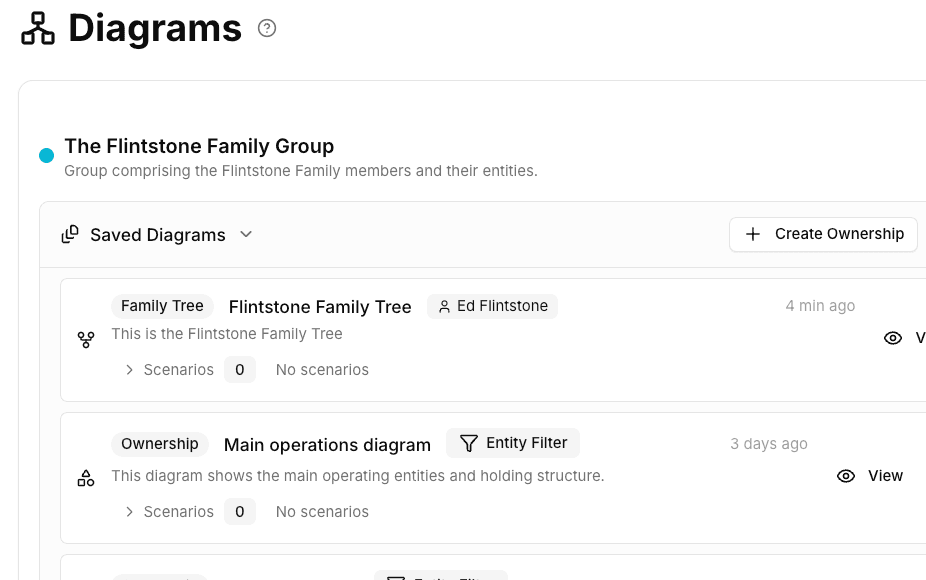
Financial planning is unique — you need to see both the family relationships and the entities they control. StructureGram shows both in a single, integrated view.
- Separate family tree and ownership diagram views
- Combined view showing family + entity relationships
- Spouse types: married, de facto, separated, widowed
- Parent-child types: biological, adopted, guardian, foster
- Succession scenarios with point-in-time Snapshots
AML/CTF compliance is expanding
Australia's AML/CTF regime is expanding to cover financial advisers and other professional service providers. StructureGram helps you map ownership, control, and beneficial ownership across complex family structures — critical for customer due diligence.
Enterprise-grade security
Client data security and professional outputs are non-negotiable. StructureGram is Australian-hosted with enterprise-grade security.
- Australian data hosting
- Role-based access controls
- Audit logs for compliance
- Backup and recovery
- Sensitive data encryption
- ISO/IEC 27001 certified information security management
- Seamless data import and export
Questions from financial planners
What validation rules are included for financial planning?
All entities and relationships follow standard Australian rules and practice. This includes companies, trusts, partnerships, SMSFs, and individuals. Ownership limits at 100%. Circular ownership prevention. SMSF member limits. SMSF trustee type requirements. Share class tracking. Off-diagram ownership interests tracked. Asset ownership types (sole, tenants-in-common and joint tenants). Rules are enforced automatically as you work. When drawing on canvas, smart targeting presents only valid relationships.
Can I show family trees alongside ownership?
Yes. StructureGram enables you to create both family tree diagrams and ownership diagrams using the same data set. You can have separate ownership and family tree diagrams, or combine them into one overall view.
How do I model succession planning scenarios?
Use scenarios to show current vs. future states. Mark new entities and relationships as 'Proposed'. Validation runs on all scenarios independently. Convert proposed entities and relationship changes to live data when circumstances change.
Is this suitable for multi-generational families?
Yes. No limits on entity count, generations, or relationship complexity. Enterprise-grade algorithms handle the most complex family structures automatically.
Is StructureGram suitable for sensitive client data?
Yes. StructureGram is developed by Syntaq Solutions Pty Ltd, an ISO/IEC 27001 certified Australian software company. The platform is designed for professionals handling sensitive client and entity information.
Can I track changes over time?
Yes. Diagrams are living structures that evolve with the family. Create point-in-time or period-of-time Snapshots to show historical and future states of both family tree and ownership structures.
Can I export diagrams for client presentations?
Yes. Export to PDF or PNG at print resolution. Both include colour, auto-generated legends, and your firm logo — ready for client reports, presentations, or advice documents.
Make succession planning clearer for clients
Diagrams that grow with the family — not ones you have to redraw every year.