A closer look at StructureGram
Everyone appreciates a good diagram. StructureGram makes it easy to help your clients understand their structure. Here’s how.
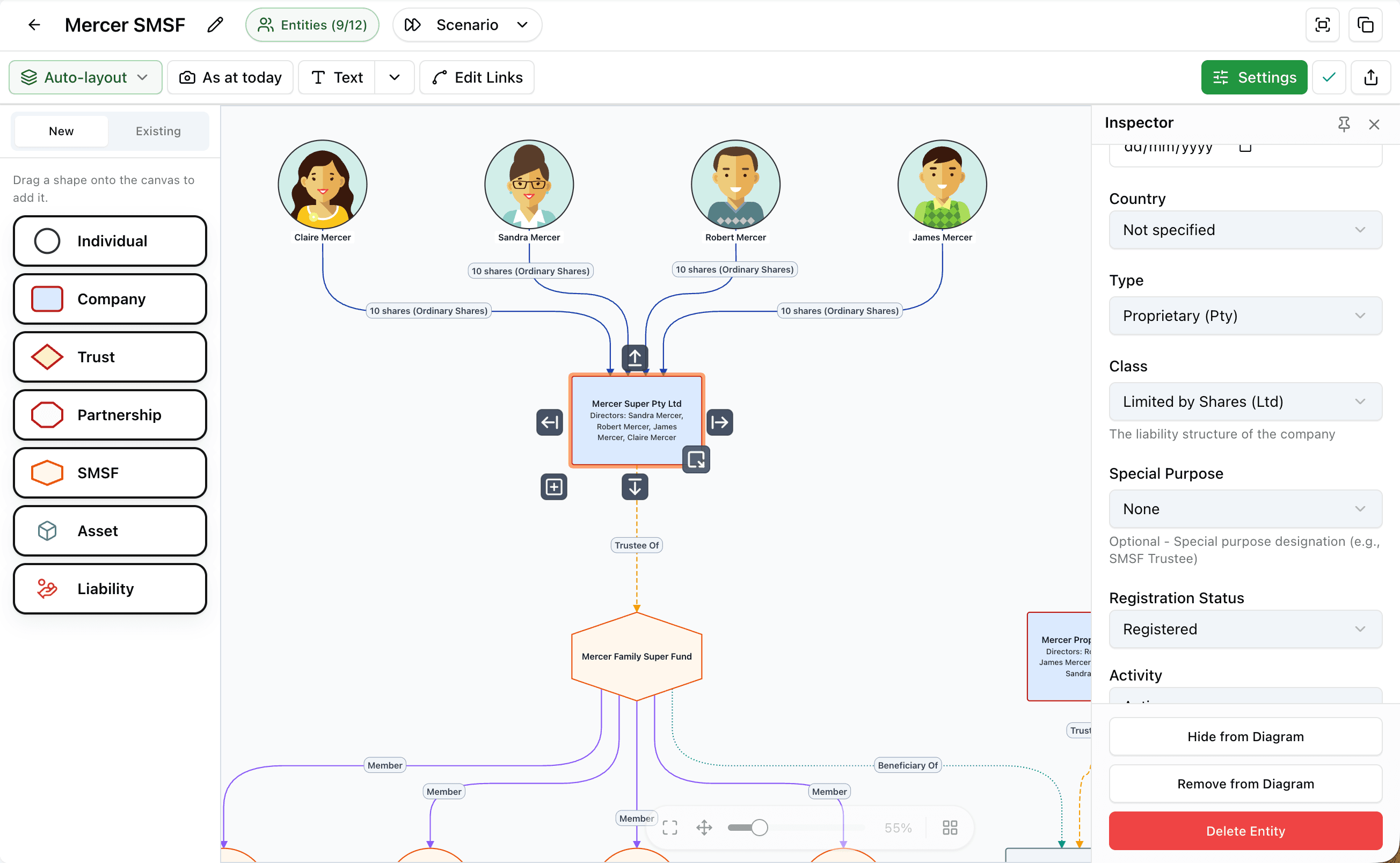
Made for advisors.
StructureGram works differently to other diagramming tools. Instead of generic shapes and arrows, you work with defined entities and relationships based on real client data.
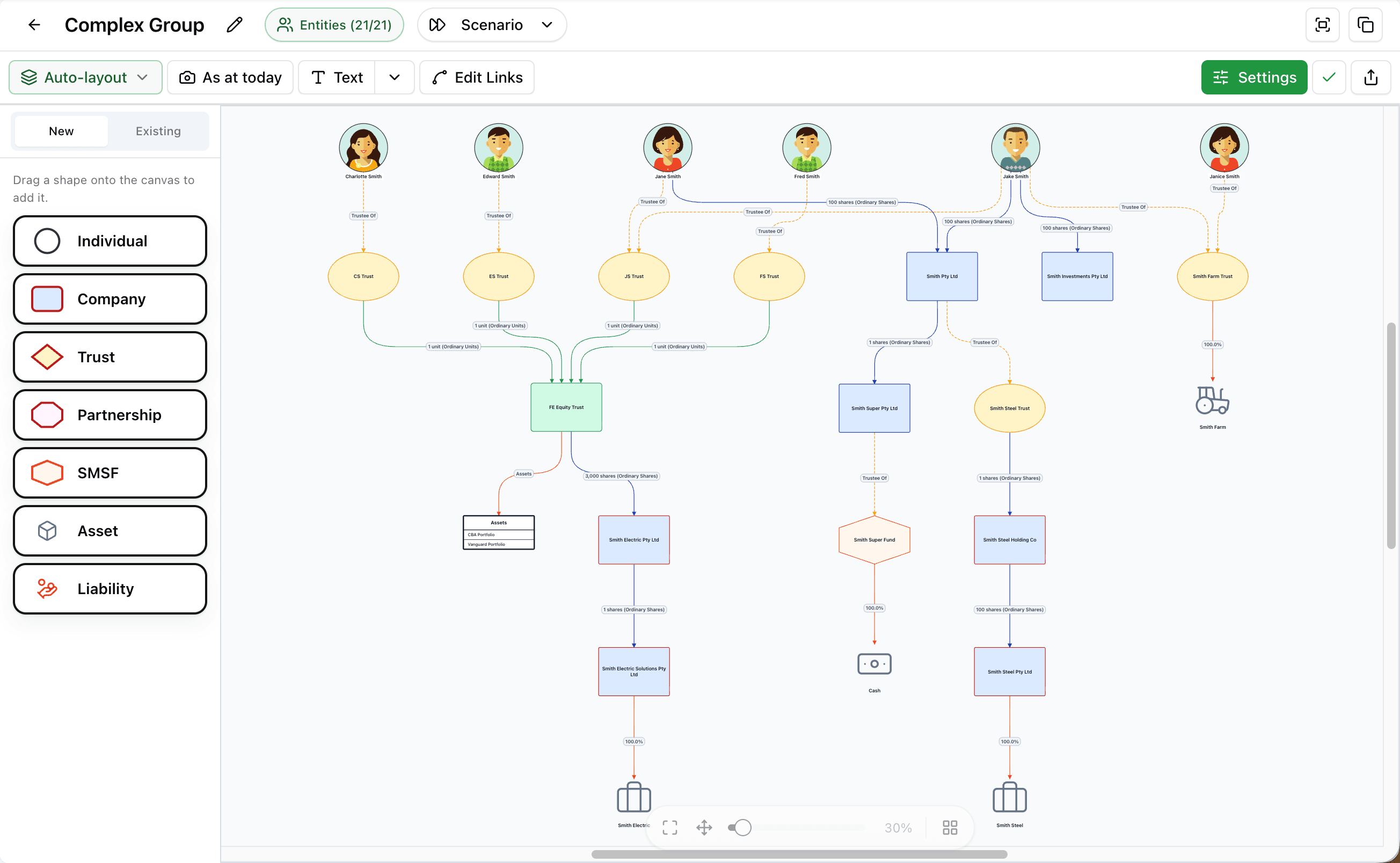
Visualise client structures faster.
StructureGram handles the most time-consuming part of building a diagram — the layout. In just a few clicks, it turns your entity and relationship data into a client-ready diagram, generated in under 3 seconds.
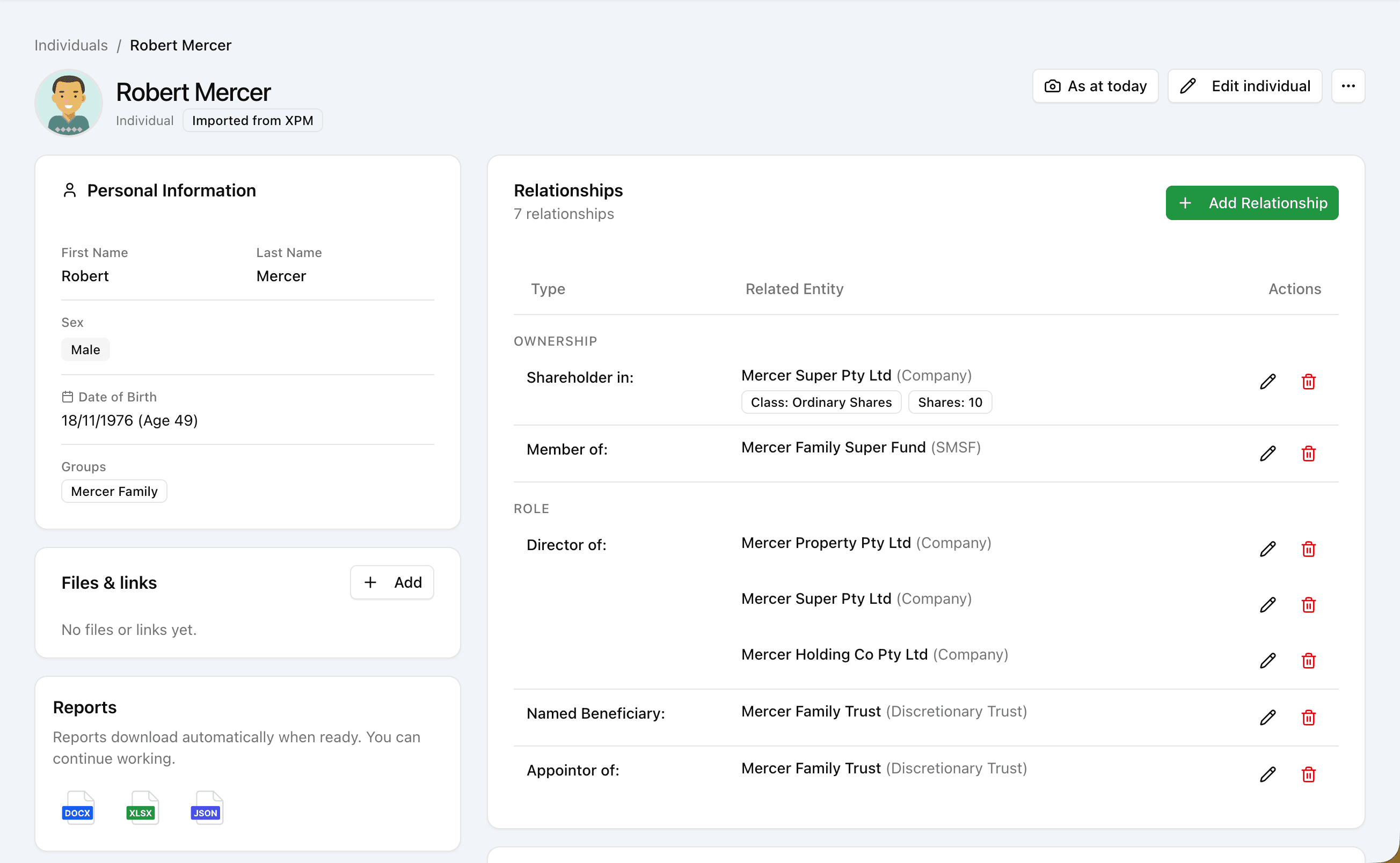
Stop rebuilding diagrams.
Client structures aren’t static — they constantly evolve. Instead of rebuilding a diagram every time something changes, just update the underlying data and the diagram updates itself.
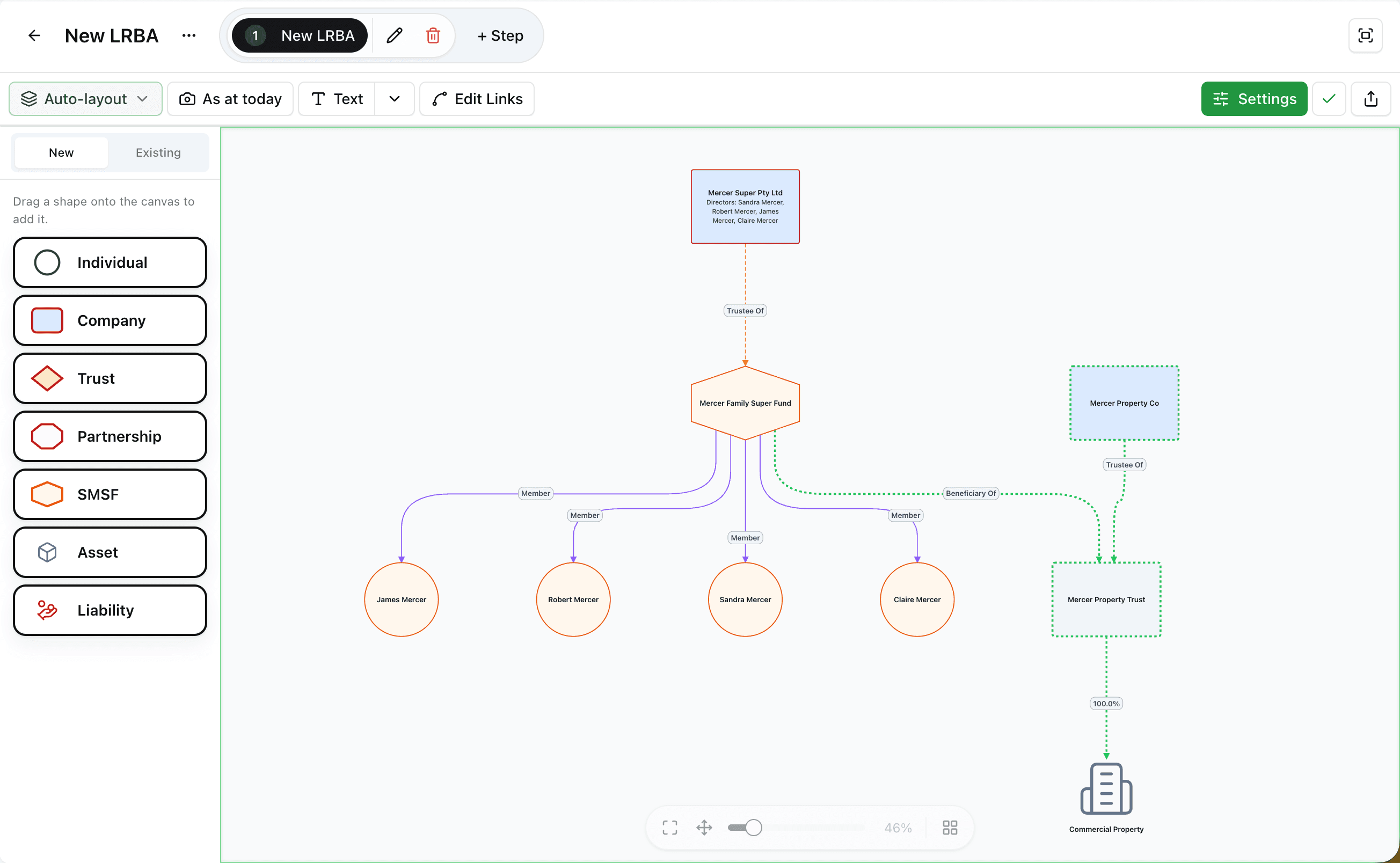
Make restructures easy for clients to understand
Use an existing structure as the starting point for a proposed restructure, and walk the client through the changes in clear, visual steps. Nothing changes in the live structure until you’re ready to make it official.
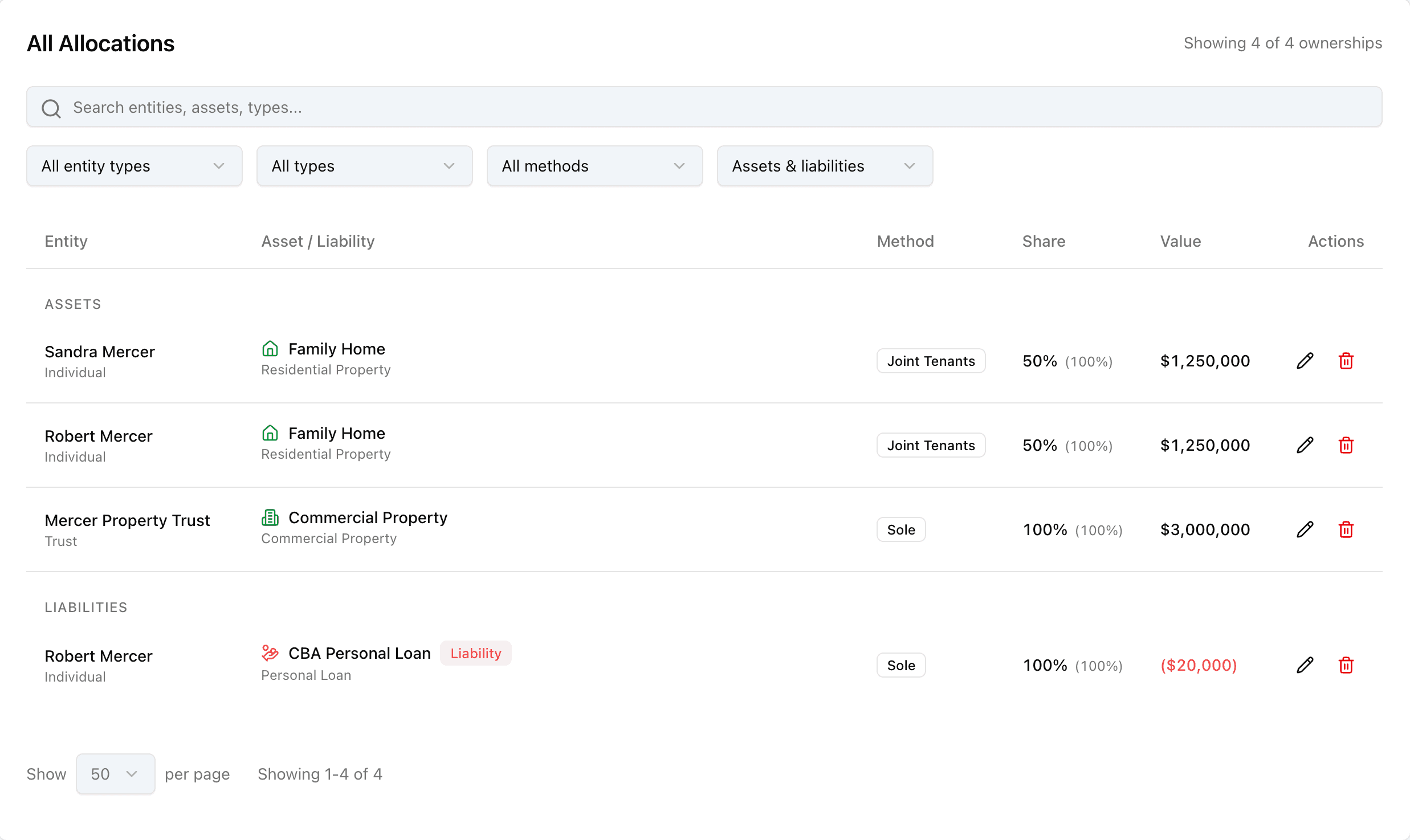
Every asset and liability. One place, one picture.
Record what every entity in the group owns and owes, so the full picture lives in one place instead of a stack of separate documents. Generate a report straight from the register whenever you need one.
And more…
Share-ready exports
Export diagrams as high-resolution PDF or PNG, ready to share.
Notes on the diagram
Highlight what matters with notes added directly on the diagram.
Import from ASIC
Import a company directly from ASIC, or upload a PDF extract.
Access control
Control who can see and edit each structure across your firm.
Distributions in view
See proposed distributions show up directly on the group’s structure.
Automatic firm styling
Every diagram uses your firm’s colours, logo, and style automatically.
Point-in-time view
Enter a date and see exactly what the structure looked like then.
Free client access
Give clients and their advisors view-only access — no subscription required.
Exportable reports
Generate exportable reports as PDF, Excel, or raw data, whenever you need one.
Ready to embrace clarity?
Get started for free and experience the benefits of visual intelligence first-hand.