Structure diagram software for accountants and advisers
Create clear structure diagrams for trusts, companies, SMSFs and family groups in minutes. StructureGram draws the diagram from your client data, checks it against Australian entity rules, and keeps it current as the structure changes.
Trusted by accounting and advisory firms















What is a structure diagram?
A picture of who owns and controls what
A structure diagram shows the entities in a client group — individuals, companies, trusts, partnerships and SMSFs — and the relationships between them: shareholdings, trustees, beneficiaries, directors and members.
Used in advice, compliance and restructures
Accountants, lawyers and financial planners use structure diagrams to explain a group to clients, plan restructures, support tax and estate planning advice, and understand beneficial ownership.
Hard to draw by hand
In a generic drawing tool every box and line is placed by hand, and the diagram has to be redrawn whenever a trustee, shareholder or entity changes.
Easy to get wrong
Drawn by hand, nothing stops partner or asset ownership adding up to more than 100% or an invalid trustee appearing on the page. A structure diagram tool can check the structure as you build it.
How to create a structure diagram in StructureGram
- Step 1
Add the entities and relationships
Enter companies, trusts, partnerships, SMSFs and individuals, or import them from Xero Practice Manager (XPM) and ASIC extracts. Set ownership percentages, trustees, directors and beneficiaries.
- Step 2
Let the diagram lay itself out
Auto-layout positions every entity and untangles crossing lines, and firm-wide styles keep every structure diagram consistent across your team.
- Step 3
Export it or keep it live
Export high-resolution PDF and PNG files for advice documents and client meetings. Update the record and the structure diagram follows.
A structure diagram tool that knows the rules
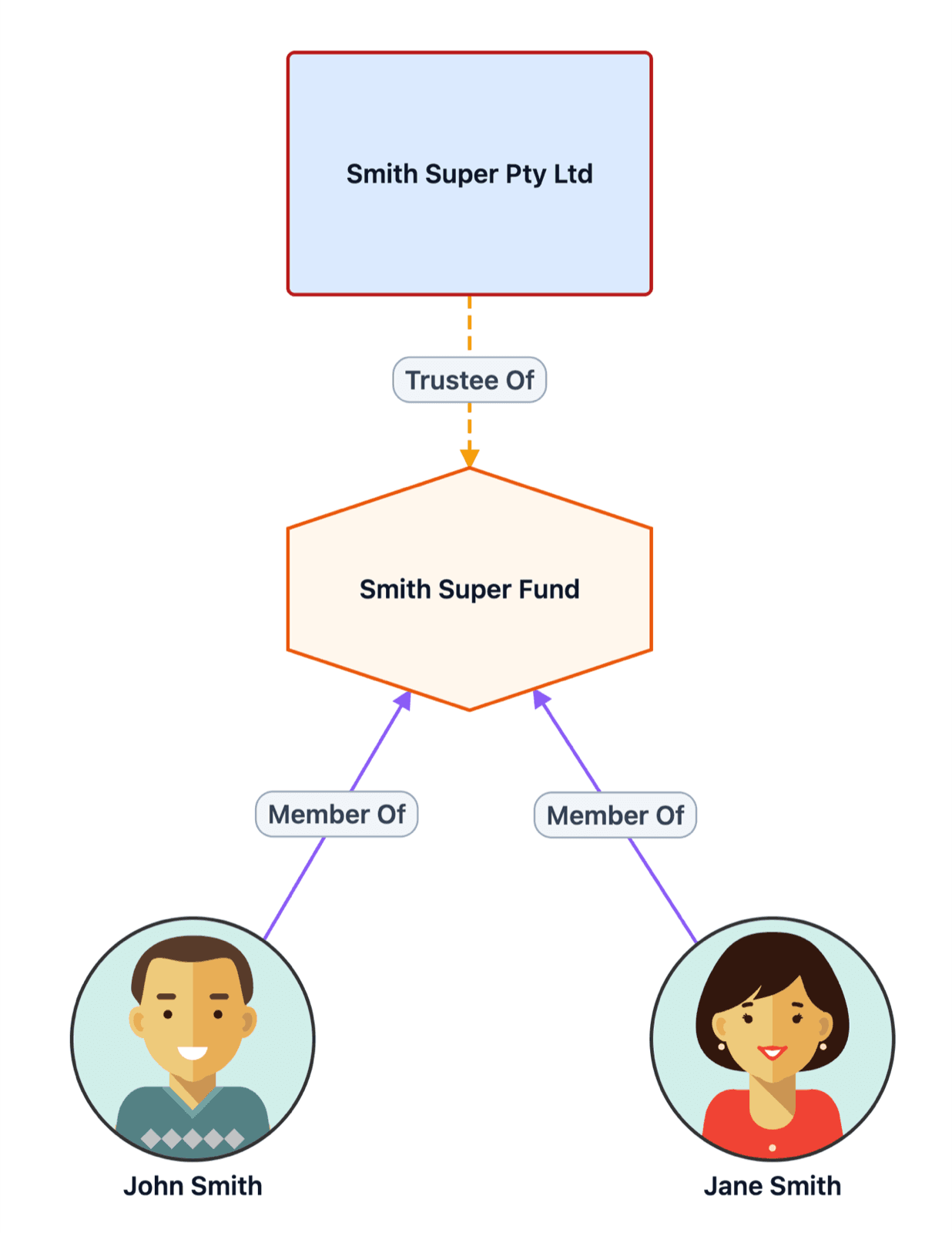
StructureGram understands Australian entities, and checks each relationship against rules like these as you add it.
- Partner and asset ownership interests cannot exceed 100%
- SMSF maximum of 6 members
- Only valid entity types can be trustees
- Duplicate entities detected
Catch structure mistakes as you build, not in review.
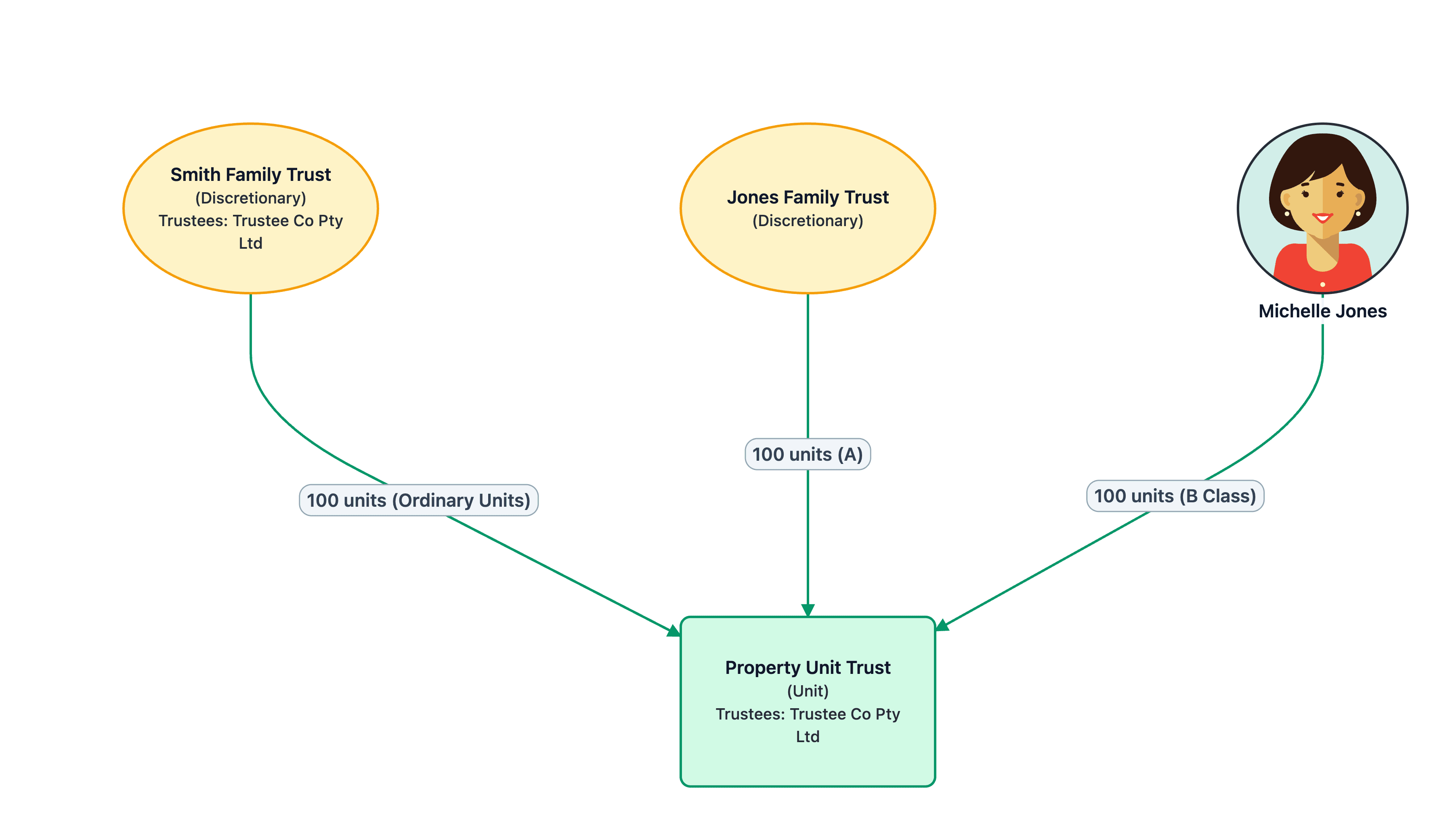
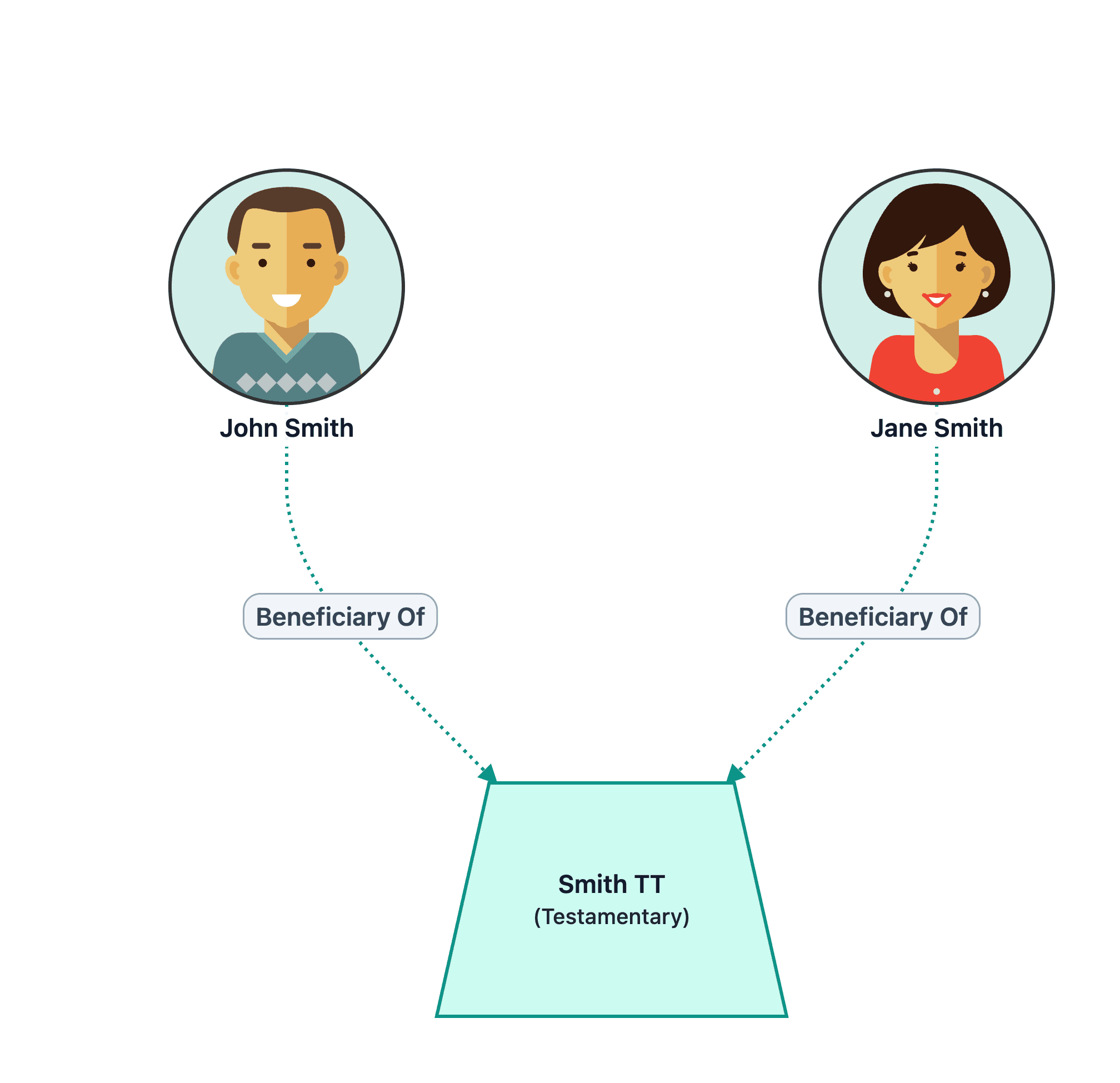
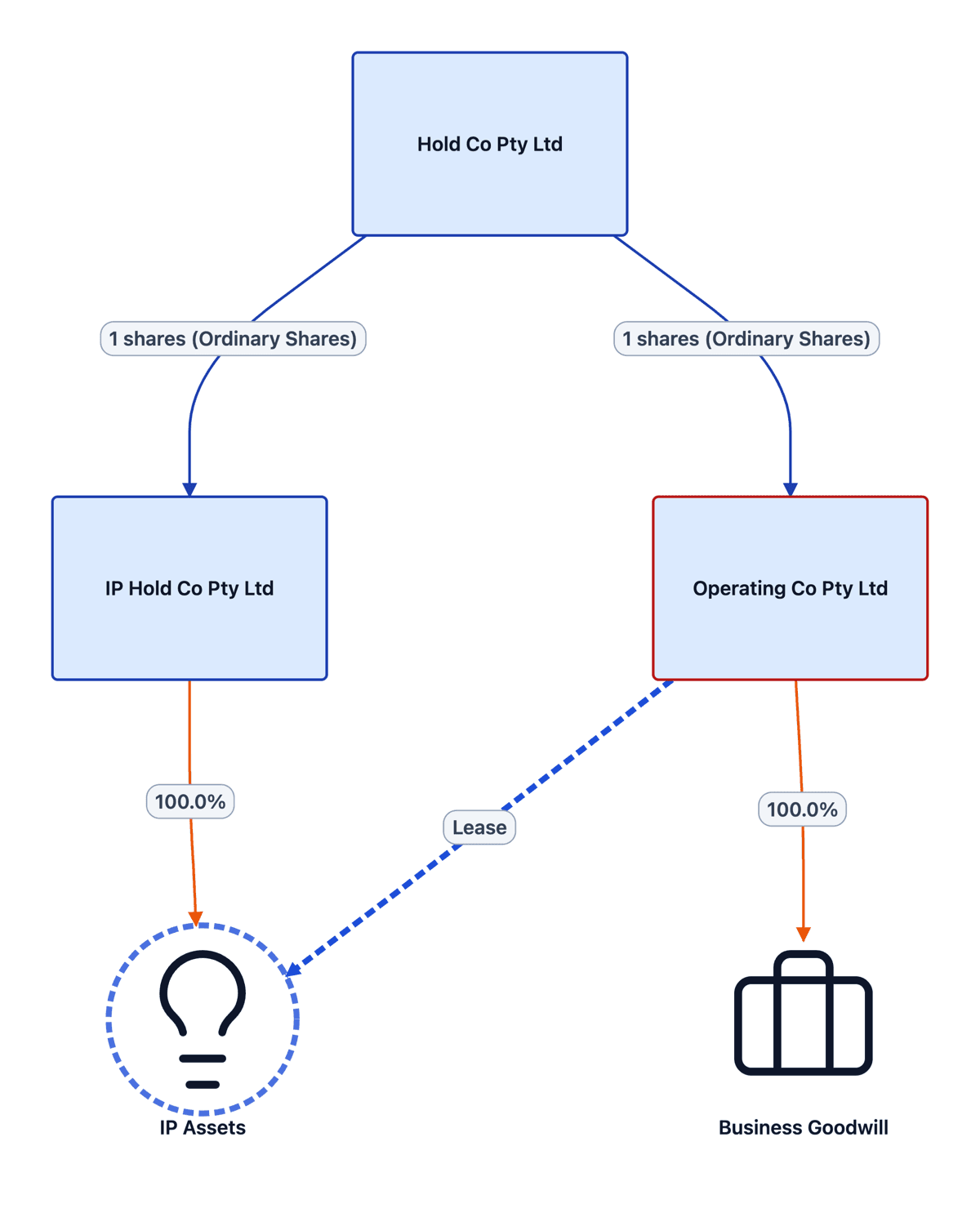
Structure diagram examples
Structure diagrams from ASIC and Xero Practice Manager data
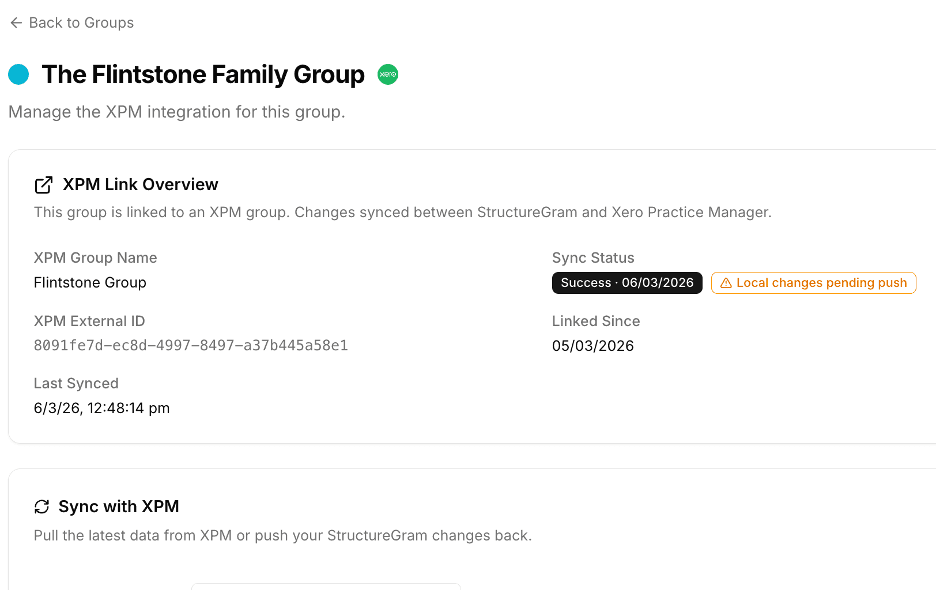
Start from the data you already hold instead of a blank page.
- Import clients and contacts from Xero Practice Manager (XPM)
- Import company officers and shareholders from ASIC extracts
- Push updated entity data back to XPM
- Keep the structure diagram and the client record in step
Free to start
Your first client group is free, with no credit card required. Paid plans include unlimited users, and there is no lock-in contract on any plan.
Enterprise-grade security
Australian-hosted data, enterprise-grade security, audit-ready outputs.
- Australian data hosting
- Access controls and audit logs
- Backup and recovery
- Professional, client-ready outputs
- Always current, living diagrams
- Sensitive data encryption
- ISO/IEC 27001 certified information security management
- Election accuracy you can defend (FTE & IEE tracking)
Structure diagrams by type
Trust structure diagrams
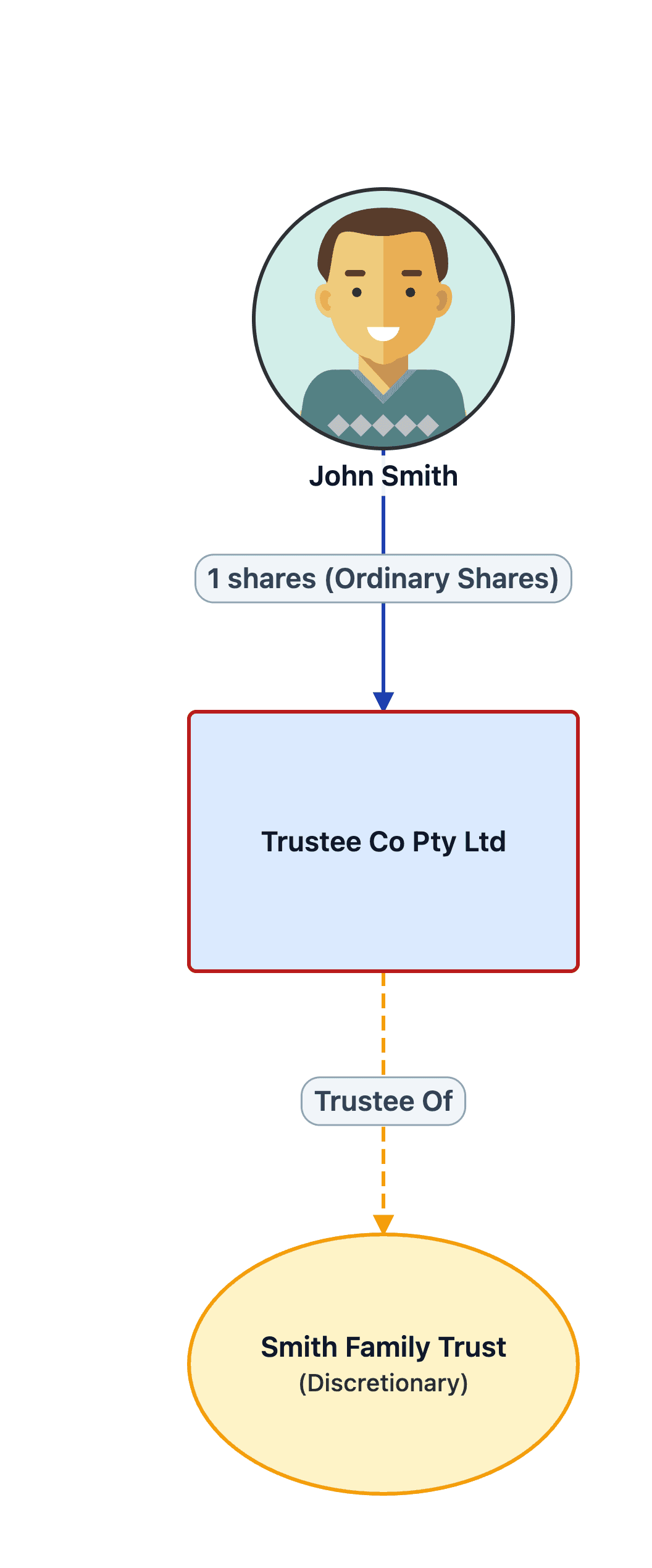
Discretionary, unit, testamentary and bare trusts, with trustees, appointors and beneficiaries.
SMSF structure diagrams
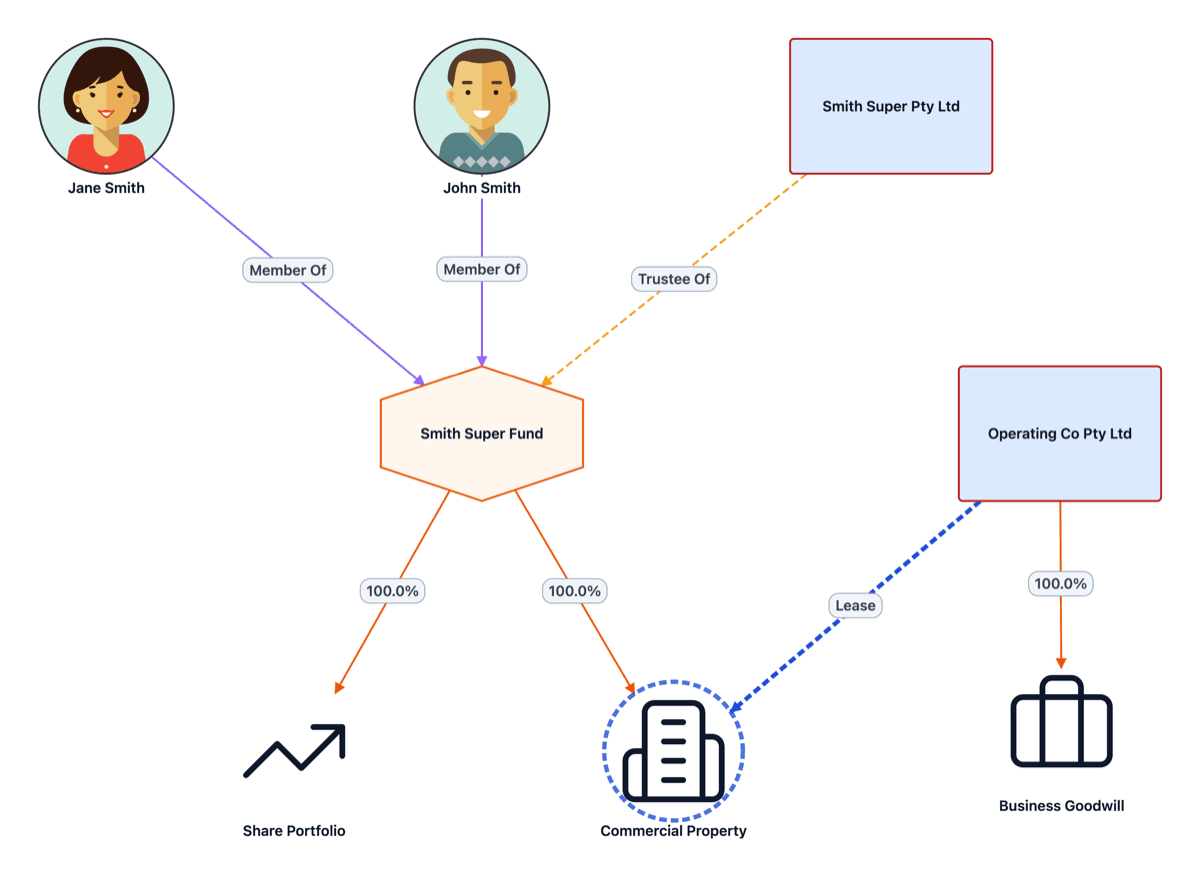
Self-managed super funds with their trustees, members and related-party arrangements.
Group structure charts
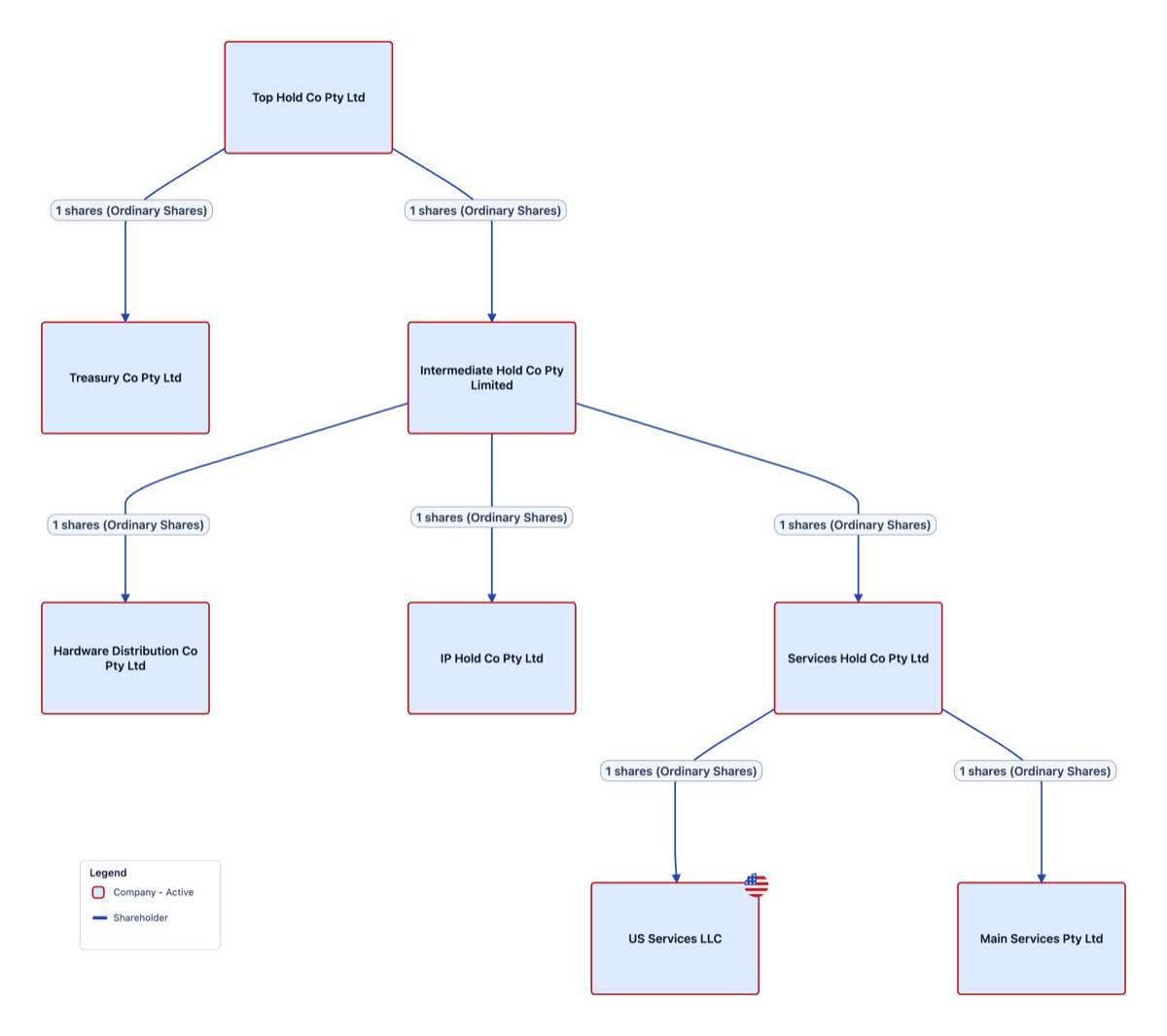
Corporate groups with holding companies, subsidiaries, shareholdings and directors.
Structure diagram questions
What should a structure diagram show?
Every entity in the group (individuals, companies, trusts, partnerships and SMSFs) and how they relate: who holds shares or units and in what percentage, who is trustee, director or member, and who can benefit from each trust.
Can I draw a trust structure diagram?
Yes. StructureGram handles discretionary (family) trusts, unit trusts, testamentary trusts and SMSFs, with corporate or individual trustees, appointors and beneficiaries. It checks that each trustee is a valid entity type as you add it.
How is this different from drawing it in Visio, PowerPoint or Lucidchart?
Generic drawing tools leave layout and checking to you. StructureGram stores the structure as data, lays the diagram out automatically, checks it against entity rules, and updates the diagram when the data changes.
What does StructureGram cost?
Your first client group is free. Paid plans are based on how many client groups you manage, every plan includes unlimited users, and paying annually gives you two months free. See the pricing page for current plans.
Can I show historical structures vs. current?
Yes. Apply a point-in-time or period-of-time 'Snapshot' to any diagram. This displays only the entities and relationships in place at that time. Set start and end dates for each entity and relationship to filter groups showing 'as was' vs. 'as is' structures.
Is this suitable for complex group structures?
Yes. No limits on entity count or relationship complexity. This is an enterprise-grade application that handles the most complex and large structures (500+ entities and 1,000s of relationships) automatically. Modern algorithms position entities on the canvas and unwind crossed-relationship lines.
Is StructureGram suitable for sensitive client data?
Yes. StructureGram is developed by Syntaq Solutions Pty Ltd, an ISO/IEC 27001 certified Australian software company. The platform is designed for professionals handling sensitive client and entity information.
Can I export diagrams to include in reports?
Yes. Export to PDF or PNG for inclusion in client reports. Both export types are high-resolution and in colour, ready to drop into Word, Excel, PowerPoint or any other application.
Create your first structure diagram
Start for free and build your first client group today. No credit card required.