SMSF structure diagrams for accountants and advisers
Draw clear SMSF structure diagrams in minutes — the fund, its corporate or individual trustees, its members and the assets it holds — and keep them current as members and trustees change.
What an SMSF structure diagram shows
The trustee
Either a corporate trustee, with its directors and shareholders, or individual trustees — and how that lines up with the fund’s members.
The members
Who the members are and how they connect to the trustee, so the fund’s control is clear at a glance.
What the fund holds
Shares, property and other assets held by the fund, with ownership percentages.
Related-party arrangements
Leases and other dealings between the fund and related parties, such as a business premises leased to a member’s company.
How to create an SMSF structure diagram
- Step 1
Add the fund and its trustee
Add the SMSF, then a corporate trustee or individual trustees. StructureGram checks as you add them that a fund does not have both.
- Step 2
Add members and assets
Add up to six members and the assets the fund holds, including property leased to related parties.
- Step 3
Let the diagram lay itself out
Auto-layout positions every entity and relationship. Export a high-resolution PDF or PNG for the audit file or client meeting.
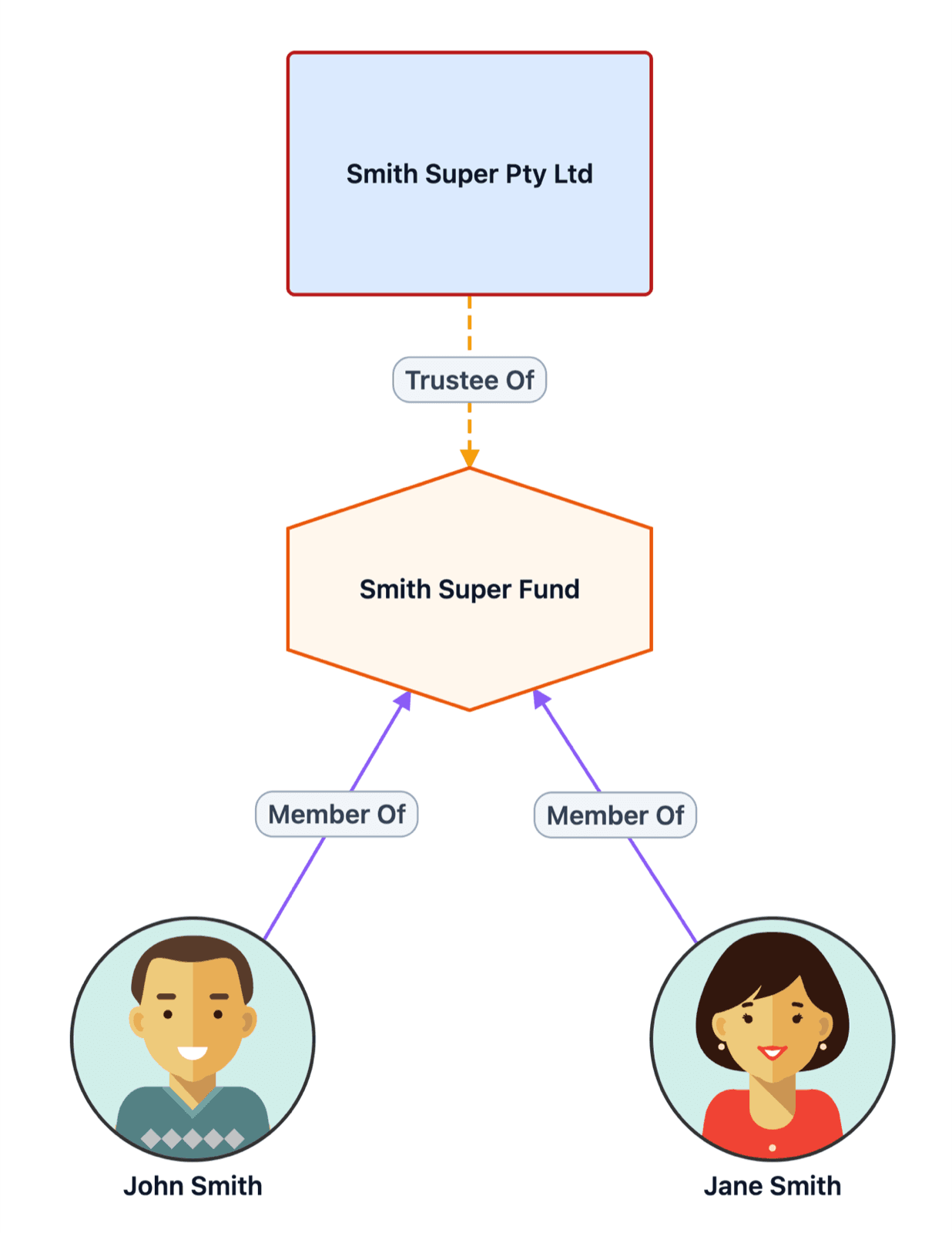
An SMSF structure diagram tool that knows the rules
StructureGram understands self-managed super funds, and checks each relationship against rules like these as you add it.
- SMSF maximum of 6 members
- A corporate trustee or individual trustees, not both
- Only valid entity types can be trustees
- Asset ownership cannot exceed 100%
- Duplicate entities detected
Catch structure mistakes as you build, not in review.
SMSF structure diagram examples
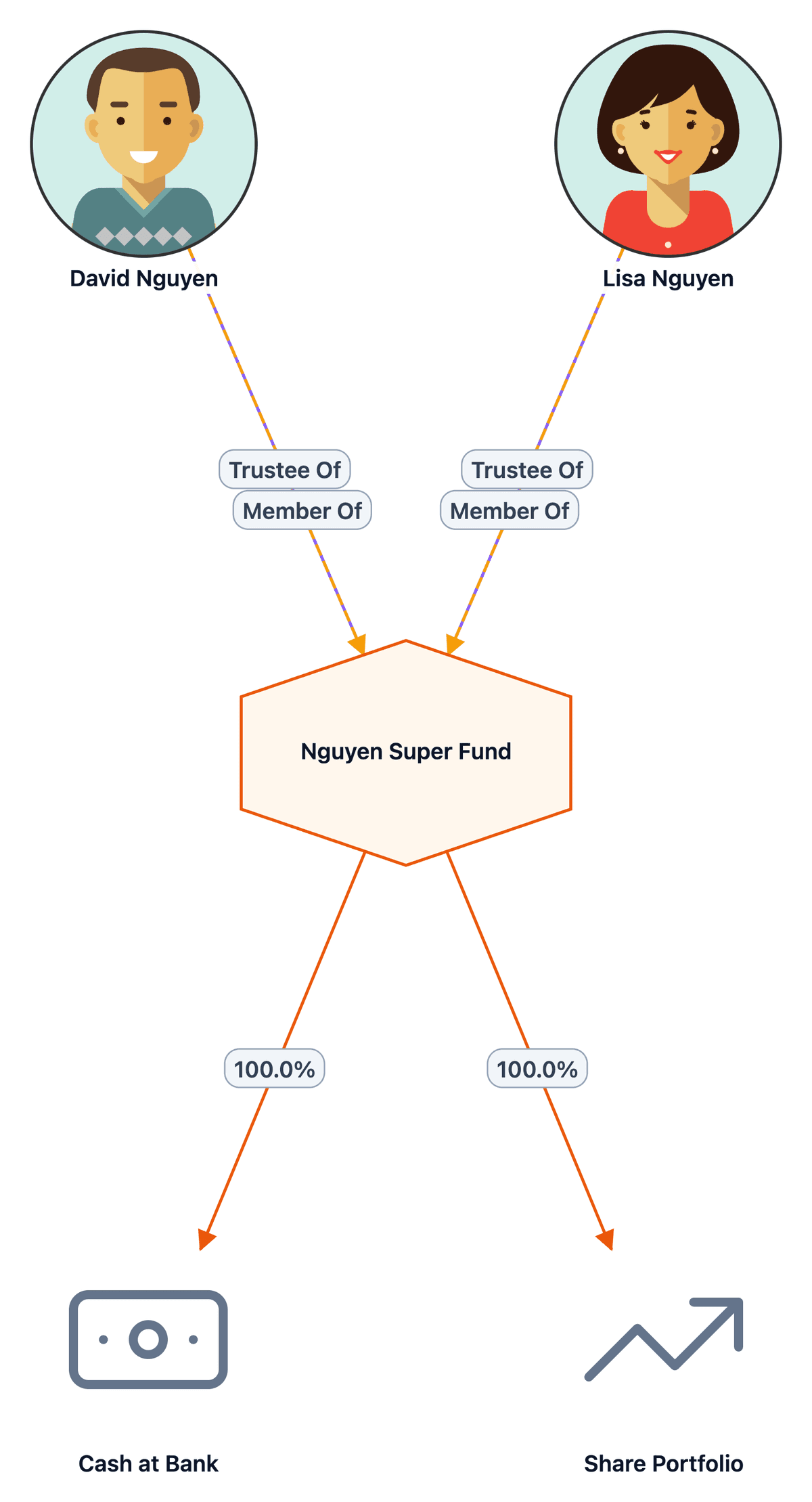
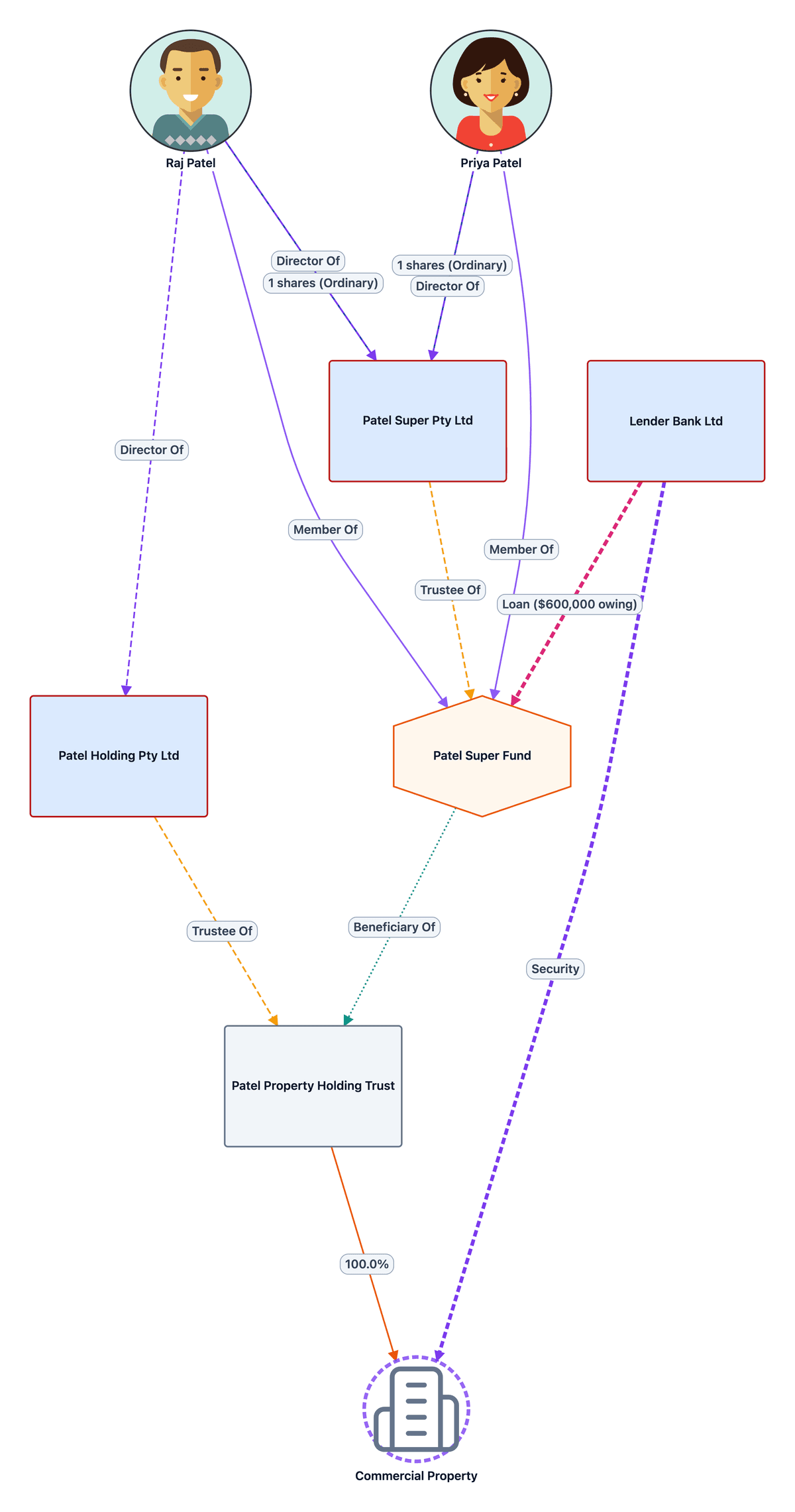
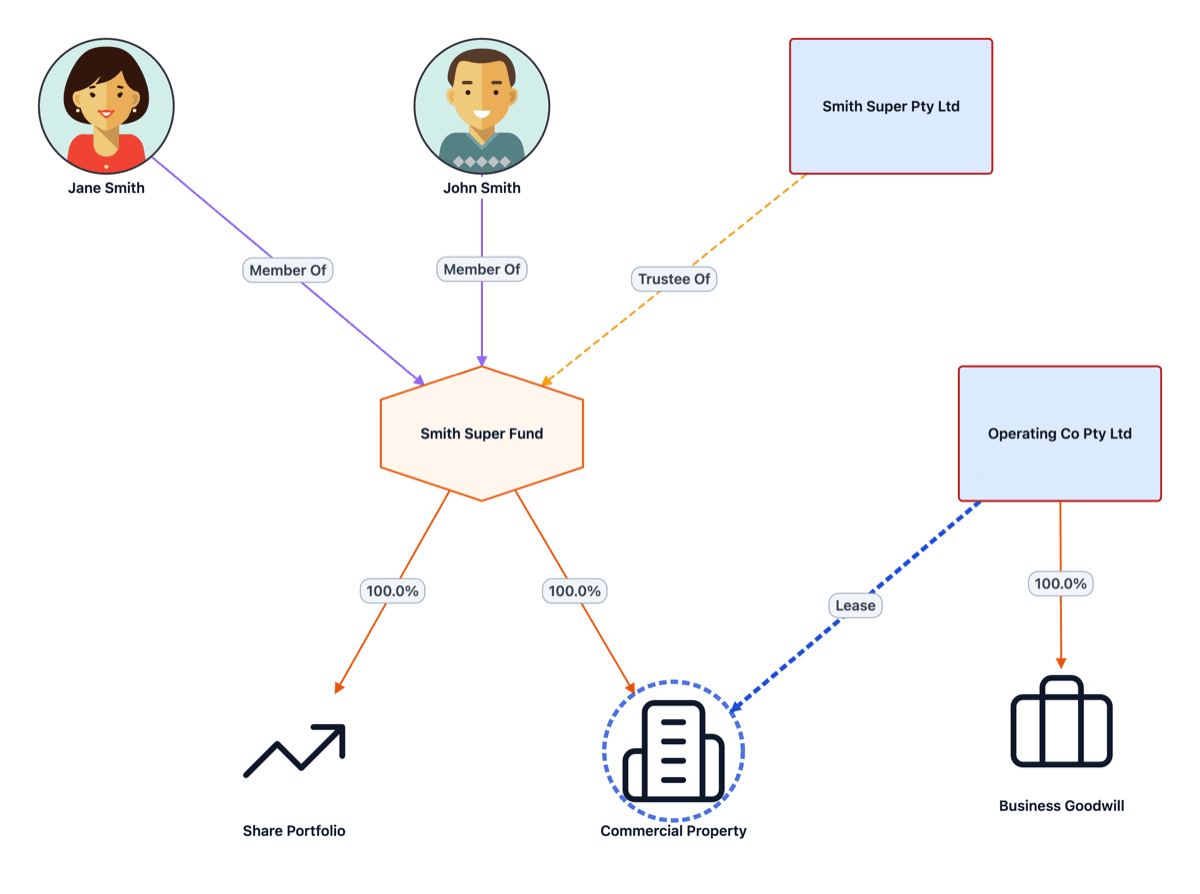
SMSF rules checked as you build the structure diagram
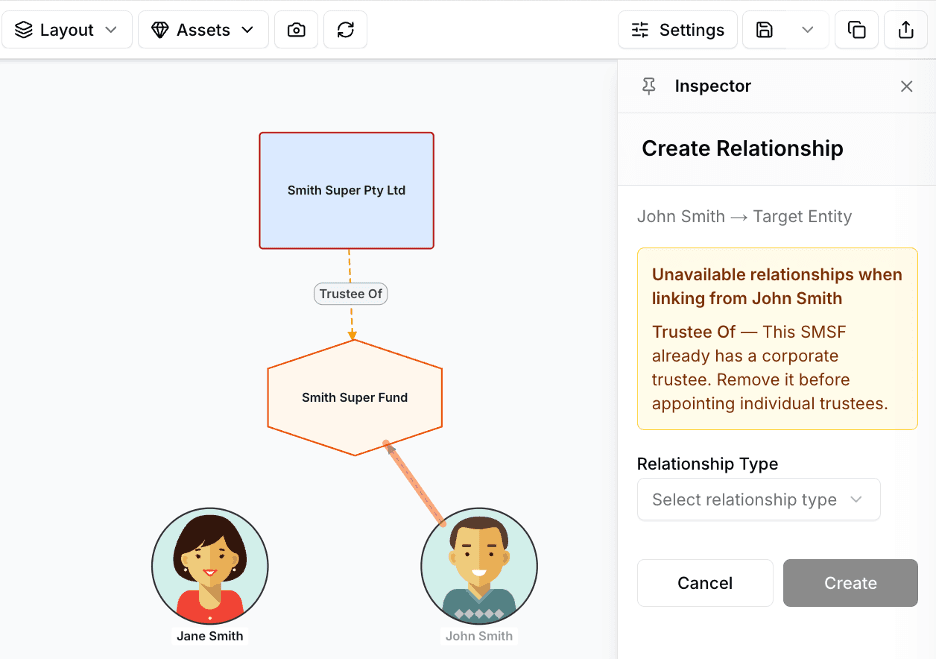
When a relationship would break an SMSF rule, StructureGram says so and explains why, instead of letting a wrong diagram reach the client.
- A fund with a corporate trustee cannot also have individual trustees
- No more than six members
- Only valid entity types offered as trustee
Free to start
Your first client group is free, with no credit card required. Paid plans include unlimited users, and there is no lock-in contract on any plan.
Enterprise-grade security
Australian-hosted data, enterprise-grade security, audit-ready outputs.
- Australian data hosting
- Access controls and audit logs
- Backup and recovery
- Professional, client-ready outputs
- Always current, living diagrams
- Sensitive data encryption
- ISO/IEC 27001 certified information security management
- Election accuracy you can defend (FTE & IEE tracking)
More structure diagrams
Structure diagrams
Diagrams for every entity in a client group — individuals, companies, trusts, partnerships and SMSFs.
Trust structure diagrams
Discretionary, unit, testamentary and bare trusts, with trustees, appointors and beneficiaries.
Group structure charts
Corporate groups with holding companies, subsidiaries, shareholdings and directors.
SMSF structure diagram questions
What should an SMSF structure diagram show?
The fund, its trustee (a corporate trustee with its directors and shareholders, or individual trustees), its members, the assets it holds, and any arrangements with related parties such as leases.
Can I show an SMSF with a corporate trustee?
Yes. Add the company as trustee and its directors and shareholders alongside the fund’s members. StructureGram checks as you add trustees that the same fund does not also have individual trustees.
Can I show an SMSF borrowing arrangement (LRBA)?
Yes. Add the holding (bare) trust and its trustee company, show the fund as the beneficiary of the holding trust and the property it holds, then record the lender’s loan to the fund and its mortgage over the property.
Can I show a change of trustee or members?
Yes. Give each relationship a start and end date, then apply a point-in-time Snapshot to show the fund as it was before or after the change.
What does StructureGram cost?
Your first client group is free. Paid plans are based on how many client groups you manage, every plan includes unlimited users, and paying annually gives you two months free. See the pricing page for current plans.
Can I export diagrams to include in reports?
Yes. Export to PDF or PNG for inclusion in client reports. Both export types are high-resolution and in colour, ready to drop into Word, Excel, PowerPoint or any other application.
Create your first SMSF structure diagram
Start for free and build your first client group today. No credit card required.